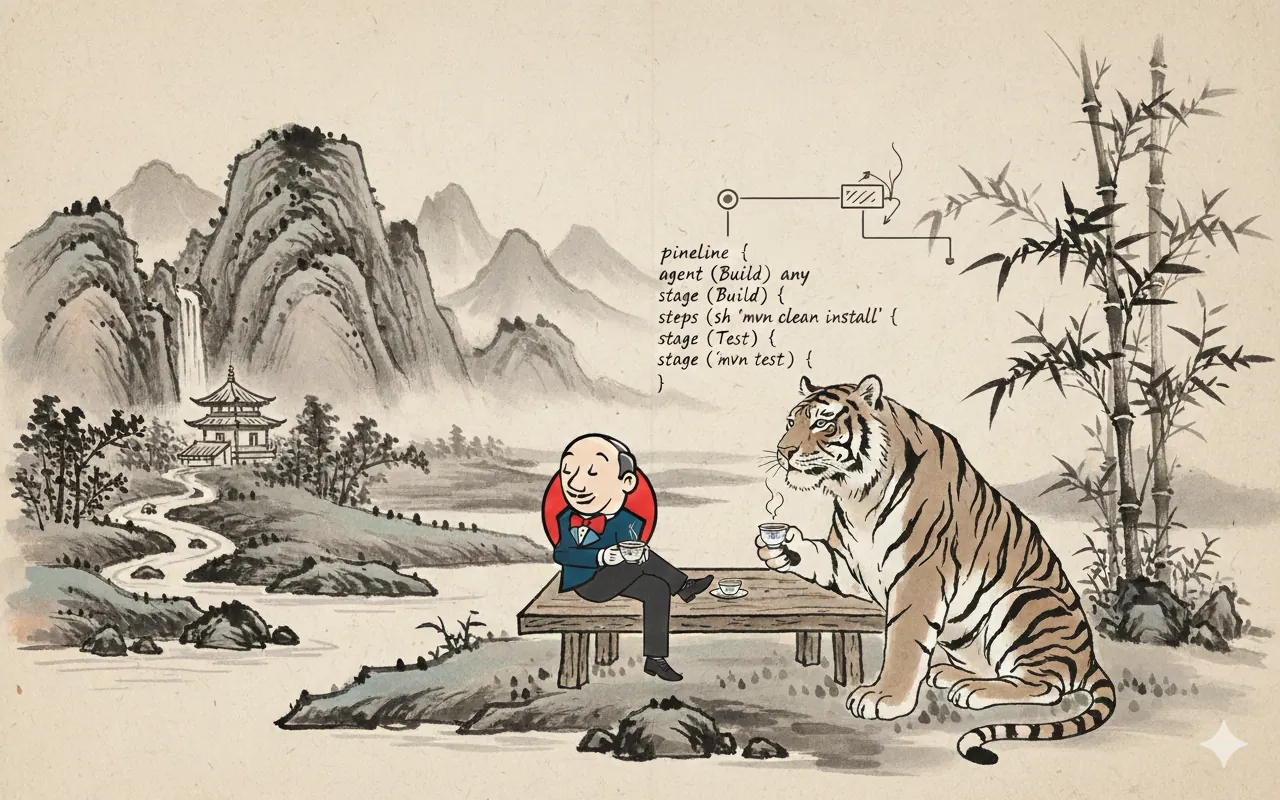
Jenkinsfile은 Jenkins Pipeline을 코드로 정의하는 파일입니다. 프로젝트 저장소의 루트 디렉토리에 위치하며, 빌드, 테스트, 배포 등의 자동화 프로세스를 Groovy 기반의 선언형(Declarative) 또는 스크립트형(Scripted) 문법으로 작성합니다.
Jenkins Pipeline은 다음과 같은 이점을 제공합니다:
- 코드로 관리 - 버전 관리 시스템에서 추적 가능
- 재사용성 - Shared Libraries를 통한 공통 코드 재사용
- 가독성 - 선언형 문법으로 직관적인 정의
- 확장성 - 다양한 플러그인 지원
기본 구문: 선언형 vs 스크립트형 파이프라인
선언형 파이프라인 (Declarative Pipeline)
선언형 파이프라인은 더 간단하고 직관적인 문법을 제공합니다.
| 특징 | 설명 |
|---|---|
| 구조 | pipeline 블록 사용 |
| 가독성 | 높음 - 선언적이고 이해하기 쉬움 |
| 커스터마이징 | 낮음 - 기본 기능으로 제한적 |
| 권장 | 대부분의 일반적인 CI/CD 작업 |
pipeline {
    agent any

    environment {
        BUILD_VERSION = '1.0.0'
    }

    stages {
        stage('Build') {
            steps {
                echo "Building version ${BUILD_VERSION}"
                sh 'echo "Build step"'
            }
        }
        stage('Test') {
            steps {
                echo "Testing"
                sh 'echo "Test step"'
            }
        }
    }

    post {
        always {
            echo "Pipeline completed"
        }
    }
}
스크립트형 파이프라인 (Scripted Pipeline)
스크립트형 파이프라인은 Groovy 언어의 모든 기능을 활용할 수 있습니다.
| 특징 | 설명 |
|---|---|
| 구조 | node 블록 사용 |
| 가독성 | 낮음 - 코드 스타일 자유로움 |
| 커스터마이징 | 높음 - 완전한 프로그래밍 가능 |
| 권장 | 복잡한 로직이 필요한 경우 |
node {
    stage('Build') {
        echo "Building"
        sh 'echo "Build step"'
    }

    stage('Test') {
        echo "Testing"
        try {
            sh 'echo "Test step"'
        } catch (Exception e) {
            echo "Test failed: ${e.message}"
            throw e
        }
    }
}
스테이지 및 단계 구조
파이프라인 기본 구조
pipeline {
    agent any                          # 실행 환경 지정

    environment {                      # 전역 환경 변수
        VERSION = '1.0.0'
    }

    stages {                           # 스테이지 정의
        stage('Phase 1') {
            steps {                    # 단계별 명령
                echo "Phase 1"
            }
        }
    }

    post {                             # 파이프라인 완료 후 처리
        always {
            echo "Complete"
        }
    }
}
스테이지 상세 구조
| 요소 | 설명 | 예제 |
|---|---|---|
| stage | 파이프라인 단계 이름 | stage('Build') |
| steps | 해당 스테이지에서 수행할 작업 | sh 'npm install' |
| agent | 스테이지별 실행 환경 지정 | agent { label 'ubuntu' } |
| when | 조건부 실행 | when { branch 'main' } |
pipeline {
    agent any

    stages {
        stage('Build') {
            agent { label 'linux' }    # 스테이지별 에이전트

            when {                      # 조건부 실행
                branch 'main'
            }

            steps {
                echo "Building on Linux"
                sh 'make build'
            }
        }

        stage('Deploy') {
            when {
                expression {
                    currentBuild.result == null || currentBuild.result == 'SUCCESS'
                }
            }

            steps {
                echo "Deploying"
                sh 'make deploy'
            }
        }
    }
}
환경 변수 설정 및 활용
전역 환경 변수
파이프라인 전체에서 사용 가능한 변수를 정의합니다.
pipeline {
    agent any

    environment {
        // 정적 변수
        APP_NAME = 'my-app'
        ENVIRONMENT = 'production'

        // 명령어 출력값을 변수로 설정
        BUILD_NUMBER = "${BUILD_NUMBER}"
        GIT_COMMIT = "${sh(returnStdout: true, script: 'git rev-parse HEAD').trim()}"
    }

    stages {
        stage('Print Variables') {
            steps {
                echo "App: ${APP_NAME}"
                echo "Env: ${ENVIRONMENT}"
                echo "Commit: ${GIT_COMMIT}"
            }
        }
    }
}
스테이지별 환경 변수
특정 스테이지에서만 사용 가능한 변수를 정의합니다.
pipeline {
    agent any

    environment {
        GLOBAL_VAR = 'global'
    }

    stages {
        stage('Development') {
            environment {
                ENV_TYPE = 'dev'
                DB_HOST = 'dev-db.example.com'
            }
            steps {
                echo "Global: ${GLOBAL_VAR}"
                echo "Stage: ${ENV_TYPE}"
                echo "DB: ${DB_HOST}"
            }
        }

        stage('Production') {
            environment {
                ENV_TYPE = 'prod'
                DB_HOST = 'prod-db.example.com'
            }
            steps {
                echo "Global: ${GLOBAL_VAR}"
                echo "Stage: ${ENV_TYPE}"
                echo "DB: ${DB_HOST}"
            }
        }
    }
}
동적 환경 변수
런타임에 명령어 실행 결과를 변수로 설정합니다.
pipeline {
    agent any

    environment {
        // 명령어 출력값 캡처
        TIMESTAMP = "${sh(returnStdout: true, script: 'date +%Y%m%d_%H%M%S').trim()}"

        // 종료 상태 캡처
        EXIT_CODE = "${sh(returnStatus: true, script: 'ls /tmp')}"

        // 조건에 따른 변수
        DEPLOY_ENV = "${env.BRANCH_NAME == 'main' ? 'production' : 'staging'}"
    }

    stages {
        stage('Info') {
            steps {
                echo "Build Time: ${TIMESTAMP}"
                echo "Deploy to: ${DEPLOY_ENV}"
            }
        }
    }
}
시스템 환경 변수
Jenkins에서 제공하는 기본 환경 변수들입니다.
| 변수 | 설명 | 예제 |
|---|---|---|
${BUILD_NUMBER} |
빌드 번호 | Build #123 |
${BUILD_ID} |
빌드 ID | 2026-01-04_10-30-45 |
${JOB_NAME} |
작업 이름 | my-pipeline |
${WORKSPACE} |
작업 디렉토리 | /var/jenkins_home/workspace/my-pipeline |
${GIT_BRANCH} |
현재 브랜치 | origin/main |
${GIT_COMMIT} |
현재 커밋 SHA | abc123def456... |
pipeline {
    agent any

    stages {
        stage('Show System Variables') {
            steps {
                echo "Job: ${JOB_NAME}"
                echo "Build #: ${BUILD_NUMBER}"
                echo "Branch: ${GIT_BRANCH}"
                echo "Commit: ${GIT_COMMIT}"
                echo "Workspace: ${WORKSPACE}"
            }
        }
    }
}
에러 핸들링
Post 섹션을 사용한 처리
선언형 파이프라인에서는 post 섹션으로 결과에 따른 처리를 정의합니다.
pipeline {
    agent any

    stages {
        stage('Build') {
            steps {
                sh 'echo "Building..."'
                sh 'make build'
            }
        }

        stage('Test') {
            steps {
                sh 'make test'
            }
        }
    }

    post {
        // 항상 실행
        always {
            echo "Cleaning up..."
            sh 'rm -rf build/tmp/*'
        }

        // 성공 시만 실행
        success {
            echo "Pipeline succeeded!"
            mail to: 'team@example.com',
                 subject: 'Build Success',
                 body: 'Build ${BUILD_NUMBER} completed successfully.'
        }

        // 실패 시만 실행
        failure {
            echo "Pipeline failed!"
            mail to: 'team@example.com',
                 subject: 'Build Failed',
                 body: 'Build ${BUILD_NUMBER} failed. Check logs.'
        }

        // 불안정한 상태
        unstable {
            echo "Build is unstable"
        }

        // 상태 변경 시
        changed {
            echo "Build status changed"
        }
    }
}
| Post 조건 | 설명 | 사용 시기 |
|---|---|---|
always |
항상 실행 | 정리 작업, 로그 수집 |
success |
성공 시만 | 배포, 알림 전송 |
failure |
실패 시만 | 에러 리포팅, 알림 |
unstable |
테스트 실패 | 테스트 결과 처리 |
changed |
상태 변경 시 | 상태 변경 알림 |
Try-Catch 에러 핸들링
스크립트형 파이프라인이나 스크립트 블록에서 Groovy의 try-catch를 사용합니다.
pipeline {
    agent any

    stages {
        stage('Build') {
            steps {
                script {
                    try {
                        sh 'make build'
                        echo "Build succeeded"
                    } catch (Exception e) {
                        echo "Build failed: ${e.message}"
                        currentBuild.result = 'FAILURE'
                    }
                }
            }
        }

        stage('Test') {
            steps {
                script {
                    try {
                        sh 'make test'
                    } catch (Exception e) {
                        echo "Tests failed"
                        throw e  // 예외 재발생
                    } finally {
                        echo "Test cleanup"
                        junit '**/test-results.xml'
                    }
                }
            }
        }
    }
}
When 조건문
특정 조건에서만 스테이지를 실행합니다.
pipeline {
    agent any

    stages {
        stage('Build') {
            steps {
                echo "Building..."
            }
        }

        stage('Deploy to Staging') {
            when {
                // 특정 브랜치에서만
                branch 'develop'
            }
            steps {
                echo "Deploying to staging"
            }
        }

        stage('Deploy to Production') {
            when {
                // 메인 브랜치이고 성공한 경우
                allOf {
                    branch 'main'
                    expression { currentBuild.result == null }
                }
            }
            steps {
                echo "Deploying to production"
            }
        }

        stage('Manual Approval') {
            when {
                // 태그가 붙은 커밋
                tag "release-*"
            }
            steps {
                echo "Tagged release"
            }
        }
    }
}
| When 옵션 | 설명 | 예제 |
|---|---|---|
branch |
특정 브랜치 | branch 'main' |
tag |
태그 패턴 | tag 'release-*' |
expression |
조건식 | expression { BUILD_NUMBER % 2 == 0 } |
allOf |
AND 조건 | allOf { branch 'main'; expression {...} } |
anyOf |
OR 조건 | anyOf { branch 'main'; branch 'develop' } |
병렬 실행
선언형 파이프라인에서의 병렬 스테이지
pipeline {
    agent any

    stages {
        stage('Build') {
            steps {
                echo "Building..."
            }
        }

        stage('Parallel Testing') {
            parallel {
                stage('Unit Tests') {
                    steps {
                        echo "Running unit tests"
                        sh 'make test:unit'
                    }
                }

                stage('Integration Tests') {
                    steps {
                        echo "Running integration tests"
                        sh 'make test:integration'
                    }
                }

                stage('Linting') {
                    steps {
                        echo "Linting code"
                        sh 'make lint'
                    }
                }
            }
        }

        stage('Deploy') {
            steps {
                echo "Deploying"
            }
        }
    }
}
스크립트형 파이프라인에서의 병렬 실행
node {
    stage('Build') {
        sh 'echo "Building..."'
    }

    stage('Parallel Tests') {
        parallel linux: {
            node('linux') {
                echo "Testing on Linux"
                sh 'make test'
            }
        },
        windows: {
            node('windows') {
                echo "Testing on Windows"
                bat 'make test'
            }
        },
        macos: {
            node('macos') {
                echo "Testing on macOS"
                sh 'make test'
            }
        }
    }

    stage('Deploy') {
        echo "Deploying"
    }
}
다중 에이전트 및 아티팩트 공유
node {
    stage('Build') {
        node('master') {
            checkout scm
            sh 'make build'
            // 다른 노드에서 사용할 아티팩트 저장
            stash includes: 'build/**', name: 'app-build'
        }
    }

    stage('Test') {
        parallel linux: {
            node('linux') {
                checkout scm
                // 저장된 아티팩트 복원
                unstash 'app-build'
                try {
                    sh 'make test'
                } finally {
                    junit '**/test-results.xml'
                }
            }
        },
        windows: {
            node('windows') {
                checkout scm
                unstash 'app-build'
                try {
                    bat 'make test'
                } finally {
                    junit '**/test-results.xml'
                }
            }
        }
    }
}
트리거 (Webhooks 및 실행 조건)
트리거 기본 구조
pipeline {
    agent any

    triggers {
        // 트리거 정의
    }

    stages {
        stage('Build') {
            steps {
                echo "Building"
            }
        }
    }
}
Cron 스케줄 트리거
정해진 시간에 자동으로 파이프라인을 실행합니다.
pipeline {
    agent any

    triggers {
        // 매주 월-금요일 8시마다 실행
        cron('0 8 * * 1-5')
    }

    stages {
        stage('Scheduled Build') {
            steps {
                echo "Scheduled build running"
            }
        }
    }
}
| Cron 표현식 | 설명 | 예제 |
|---|---|---|
H * * * * |
매 시간 | 시간 랜덤, 분은 0 |
H 8 * * * |
매일 8시 | cron('H 8 * * *') |
H 8 * * 1-5 |
평일 8시 | cron('H 8 * * 1-5') |
H */4 * * * |
4시간마다 | cron('H */4 * * *') |
H 0 * * 0 |
매주 일요일 자정 | cron('H 0 * * 0') |
pipeline {
    agent any

    triggers {
        // 다양한 Cron 예제
        cron('H * * * *')      // 매 시간
        cron('H 8,14 * * *')   // 8시, 14시 (AND 조건은 cron 하나 사용)
    }

    stages {
        stage('Build') {
            steps {
                echo "Cron triggered build"
            }
        }
    }
}
소스 코드 변경 감지
저장소의 변경을 감지하여 파이프라인을 실행합니다.
pipeline {
    agent any

    triggers {
        // 4시간마다 변경사항 확인
        pollSCM('H */4 * * 1-5')
    }

    stages {
        stage('Build') {
            steps {
                echo "SCM change detected"
                sh 'git log -1 --oneline'
            }
        }
    }
}
GitHub Webhook 트리거
GitHub 저장소와 연동하여 push/PR 시 자동 실행합니다.
pipeline {
    agent any

    triggers {
        githubPush()  // GitHub Webhook 활성화
    }

    stages {
        stage('Build') {
            when {
                branch 'main'
            }
            steps {
                echo "Building from GitHub webhook"
            }
        }
    }
}
GitHub Webhook 설정:
- Repository → Settings → Webhooks
- “Add webhook” 클릭
- Payload URL:
https://jenkins.example.com/github-webhook/ - Events: “Push events” 또는 “Pull requests” 선택
Upstream 파이프라인 완료 시 실행
다른 파이프라인이 완료되면 현재 파이프라인을 실행합니다.
pipeline {
    agent any

    triggers {
        // 'build-dependency' 파이프라인 성공 시 실행
        upstream(upstreamProjects: 'build-dependency',
                 threshold: hudson.model.Result.SUCCESS)
    }

    stages {
        stage('Build') {
            steps {
                echo "Triggered by upstream pipeline"
            }
        }
    }
}
실전 예제
예제 1: 기본 Node.js CI/CD 파이프라인
pipeline {
    agent any

    environment {
        NODE_ENV = 'production'
        APP_PORT = '3000'
    }

    triggers {
        githubPush()
        pollSCM('H * * * *')  // 매 시간 확인
    }

    stages {
        stage('Checkout') {
            steps {
                checkout scm
                sh 'git log -1 --oneline'
            }
        }

        stage('Install Dependencies') {
            steps {
                sh 'npm install'
            }
        }

        stage('Lint') {
            steps {
                sh 'npm run lint' || true
            }
        }

        stage('Build') {
            steps {
                sh 'npm run build'
            }
        }

        stage('Unit Tests') {
            steps {
                sh 'npm run test:unit'
            }
        }

        stage('Integration Tests') {
            steps {
                sh 'npm run test:integration'
            }
        }

        stage('Deploy to Staging') {
            when {
                branch 'develop'
            }
            steps {
                echo "Deploying to staging environment"
                sh 'npm run deploy:staging'
            }
        }

        stage('Deploy to Production') {
            when {
                allOf {
                    branch 'main'
                    expression { currentBuild.result == null }
                }
            }
            steps {
                input message: 'Deploy to production?', ok: 'Deploy'
                echo "Deploying to production environment"
                sh 'npm run deploy:prod'
            }
        }
    }

    post {
        always {
            junit 'test-results/**/*.xml'
            echo "Cleaning workspace"
            cleanWs()
        }

        success {
            echo "Build successful!"
            mail to: 'team@example.com',
                 subject: "Build Success: ${JOB_NAME} #${BUILD_NUMBER}",
                 body: "Build completed successfully.\nCheck: ${BUILD_URL}"
        }

        failure {
            echo "Build failed!"
            mail to: 'team@example.com',
                 subject: "Build Failed: ${JOB_NAME} #${BUILD_NUMBER}",
                 body: "Build failed. Check logs: ${BUILD_URL}"
        }
    }
}
예제 2: 다중 환경 병렬 테스트
pipeline {
    agent any

    environment {
        ARTIFACT_DIR = "${WORKSPACE}/artifacts"
        TEST_REPORT = "${WORKSPACE}/test-reports"
    }

    stages {
        stage('Prepare') {
            steps {
                sh 'mkdir -p ${ARTIFACT_DIR} ${TEST_REPORT}'
                sh 'echo "Build started at $(date)" > ${ARTIFACT_DIR}/build.log'
            }
        }

        stage('Parallel Tests') {
            parallel {
                stage('Java Tests') {
                    agent { label 'java' }
                    steps {
                        sh 'mvn clean test'
                        sh 'cp target/test-results/* ${TEST_REPORT}/'
                    }
                }

                stage('Python Tests') {
                    agent { label 'python' }
                    steps {
                        sh 'pip install -r requirements.txt'
                        sh 'pytest tests/ --junit-xml=${TEST_REPORT}/python-tests.xml'
                    }
                }

                stage('JavaScript Tests') {
                    agent { label 'nodejs' }
                    steps {
                        sh 'npm ci'
                        sh 'npm run test:ci'
                        sh 'cp coverage/junit.xml ${TEST_REPORT}/js-tests.xml'
                    }
                }
            }
        }

        stage('Collect Results') {
            steps {
                echo "Collecting test results"
                junit "${TEST_REPORT}/**/*.xml"
                archiveArtifacts artifacts: "${ARTIFACT_DIR}/**", allowEmptyArchive: true
            }
        }
    }

    post {
        always {
            echo "Build finished at $(date)"
        }
    }
}
예제 3: 에러 처리 및 복구
pipeline {
    agent any

    stages {
        stage('Build') {
            steps {
                script {
                    try {
                        sh 'npm install'
                        sh 'npm run build'
                    } catch (Exception e) {
                        echo "Build failed: ${e.message}"
                        currentBuild.result = 'FAILURE'
                        throw e
                    }
                }
            }
        }

        stage('Test with Retry') {
            steps {
                script {
                    def retryCount = 0
                    def maxRetries = 3
                    def success = false

                    while (retryCount < maxRetries && !success) {
                        try {
                            sh 'npm run test'
                            success = true
                        } catch (Exception e) {
                            retryCount++
                            if (retryCount < maxRetries) {
                                echo "Test failed, retrying... (${retryCount}/${maxRetries})"
                                sleep(time: 5, unit: 'SECONDS')
                            } else {
                                throw e
                            }
                        }
                    }
                }
            }
        }

        stage('Deploy') {
            when {
                expression { currentBuild.result == null || currentBuild.result == 'SUCCESS' }
            }
            steps {
                script {
                    try {
                        sh 'npm run deploy'
                    } catch (Exception e) {
                        echo "Deployment failed, rolling back"
                        sh 'npm run rollback'
                        throw e
                    }
                }
            }
        }
    }

    post {
        failure {
            script {
                echo "Pipeline failed at stage: ${env.STAGE_NAME}"
                // 실패 알림
                mail to: 'team@example.com',
                     subject: "Pipeline Failed: ${JOB_NAME}",
                     body: "Failed stage: ${env.STAGE_NAME}\n\nCheck: ${BUILD_URL}"
            }
        }

        unstable {
            echo "Pipeline is unstable"
        }
    }
}
예제 4: Docker 이미지 빌드 및 배포
pipeline {
    agent any

    environment {
        DOCKER_REGISTRY = 'docker.io'
        IMAGE_NAME = 'myapp'
        IMAGE_TAG = "${BUILD_NUMBER}"
    }

    triggers {
        githubPush()
    }

    stages {
        stage('Checkout') {
            steps {
                checkout scm
            }
        }

        stage('Build Image') {
            steps {
                script {
                    sh 'docker build -t ${DOCKER_REGISTRY}/${IMAGE_NAME}:${IMAGE_TAG} .'
                    sh 'docker tag ${DOCKER_REGISTRY}/${IMAGE_NAME}:${IMAGE_TAG} ${DOCKER_REGISTRY}/${IMAGE_NAME}:latest'
                }
            }
        }

        stage('Test Image') {
            steps {
                script {
                    sh '''
                        docker run --rm ${DOCKER_REGISTRY}/${IMAGE_NAME}:${IMAGE_TAG} \
                            npm run test
                    '''
                }
            }
        }

        stage('Push Image') {
            when {
                branch 'main'
            }
            steps {
                script {
                    withCredentials([usernamePassword(credentialsId: 'docker-hub',
                                                     usernameVariable: 'DOCKER_USER',
                                                     passwordVariable: 'DOCKER_PASS')]) {
                        sh '''
                            docker login -u $DOCKER_USER -p $DOCKER_PASS
                            docker push ${DOCKER_REGISTRY}/${IMAGE_NAME}:${IMAGE_TAG}
                            docker push ${DOCKER_REGISTRY}/${IMAGE_NAME}:latest
                        '''
                    }
                }
            }
        }

        stage('Deploy') {
            when {
                branch 'main'
            }
            steps {
                script {
                    sh '''
                        kubectl set image deployment/myapp \
                            myapp=${DOCKER_REGISTRY}/${IMAGE_NAME}:${IMAGE_TAG} \
                            --record
                    '''
                }
            }
        }
    }

    post {
        always {
            sh 'docker image prune -f'
        }
    }
}
팁 & 주의사항
주의사항
⚠️ 환경 변수에 민감 정보 노출 금지
- API 키, 패스워드 등은 Jenkins Credentials 사용
withCredentials([string(credentialsId: 'api-key', variable: 'API_KEY')]) {
  sh 'echo ${API_KEY}'
}
⚠️ 스테이지 이름 중복 피하기
- 파이프라인 가독성과 로깅을 위해 고유한 스테이지 이름 사용
⚠️ Post 섹션 순서
post섹션의 조건들은 정의된 순서대로 실행되지 않음always,success,failure등을 동시에 사용 가능
⚠️ 병렬 실행의 리소스
- 병렬로 실행되는 단계가 많을수록 Jenkins 리소스 사용 증가
- 에이전트 수와 작업 부하를 고려하여 설계
유용한 팁
💡 script 블록 활용
- 선언형 파이프라인에서도 Groovy 코드 실행 가능
script {
  def version = sh(returnStdout: true, script: 'cat version.txt').trim()
}
💡 조건부 단계 실행
when블록으로 불필요한 단계 스킵when { expression { BUILD_NUMBER % 2 == 0 } }
💡 재사용 가능한 파이프라인 만들기
- Shared Libraries 사용으로 코드 중복 제거
@Library('common') _
commonBuild()
💡 파이프라인 시각화
- Blue Ocean 플러그인 설치로 직관적인 파이프라인 시각화
💡 디버깅
echo문으로 변수값 확인- Jenkins 콘솔 로그에서 상세 정보 확인
echo "DEBUG: Variable = ${VARIABLE}"
관련 문서
🔗 Jenkins Pipeline 공식 문서 🔗 Jenkins Shared Libraries 🔗 Groovy 문법 🔗 Jenkins Blue Ocean
자신만의 철학을 만들어가는 중입니다.





댓글남기기